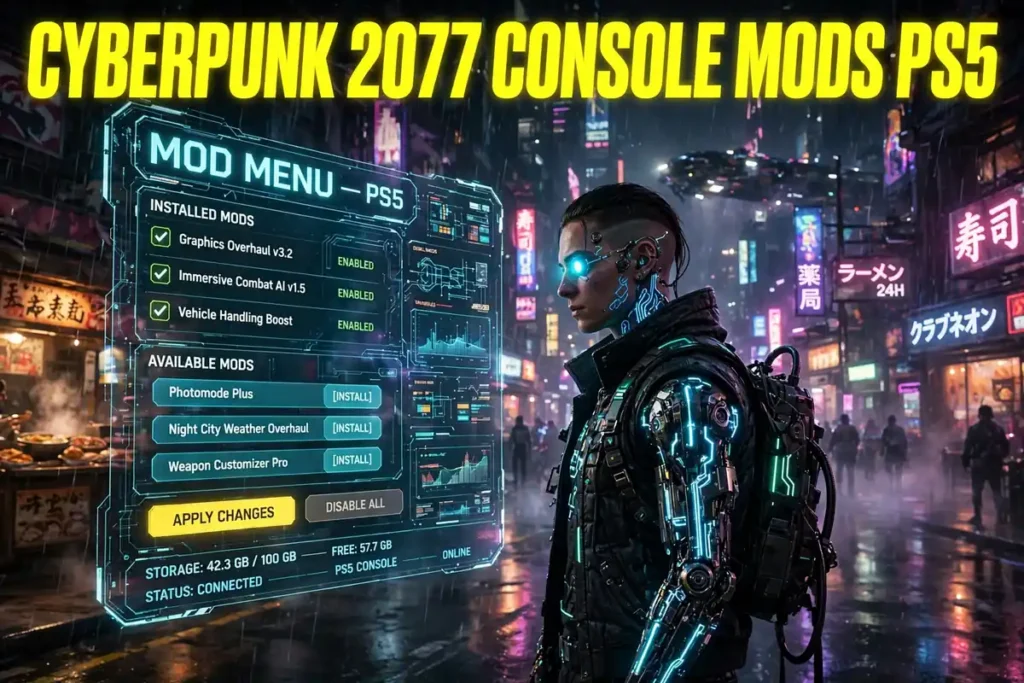
The cyberpunk 2077 console mods ps5 story is the one console players waited years for. With the free Update 2.5, the Edgerunners 2 Update released on October 22, 2026, PlayStation 5 players can finally browse and install community mods from inside the game itself, without a PC, a USB stick, or any file copying. The system runs through mod.io, it is curated rather than open-ended, and it comes with one rule every trophy hunter must know first: a save played with mods enabled cannot earn trophies.
This is not the whole PC modding scene squeezed onto a console. The cyberpunk 2077 console mods ps5 catalogue started small, with a reported 52 mods available on PS5 at launch, and it only includes mods prepared and approved for consoles. That limit is the trade-off for an official, one-click system. What you get in return is real: new quests, quality-of-life fixes, cosmetics, and gameplay tweaks, all installed from the main menu, plus a game that is suddenly busy again, with a reported Steam peak of 187,215 concurrent players on October 25, 2026.
This guide covers what launched, how to install cyberpunk 2077 console mods ps5 step by step, what the launch catalogue actually contains, the trophy and cross-save rules, how console mods differ from PC modding, and what is still unconfirmed. Where a figure comes from coverage rather than CD Projekt Red’s own pages, this guide says so plainly.
Table of Contents
SUMMARY: This table of contents lists every section in this cyberpunk 2077 console mods ps5 guide, from the Update 2.5 launch and install steps to the mod catalogue, trophy rules, PC comparison, and the questions players ask most.
- Cyberpunk 2077 Console Mods PS5: What Launched in Update 2.5
- Why Night City Is Busy Again: The 187,215 Player Peak
- How to Install Cyberpunk 2077 Console Mods PS5 Step by Step
- What Mods Are Available on PS5 at Launch
- Trophies, Saves and Cross-Progression: The Rules That Matter
- Console Mods vs PC Modding: REDmod, Nexus and mod.io Explained
- Limits, Risks and How to Mod Safely on PS5
- What Update 2.5 Adds Beyond Mods
- Confirmed vs Unconfirmed: What We Know and What We Do Not Know
- Best Plan for Cyberpunk 2077 Console Mods PS5
- Frequently Asked Questions
Cyberpunk 2077 Console Mods PS5: What Launched in Update 2.5
SUMMARY: This section explains the cyberpunk 2077 console mods ps5 launch: the free Update 2.5, the in-game mod.io browser, and which platforms got it first.
The cyberpunk 2077 console mods ps5 feature arrived with Update 2.5, officially called the Edgerunners 2 Update, released free on October 22, 2026, for PC, Mac, PlayStation 5, PlayStation 5 Pro, and Xbox Series X|S. CD Projekt Red published the patch notes on October 21, 2026, after previewing the feature in a REDstreams broadcast, and the update went live the next day, two days after Cyberpunk: Edgerunners 2 premiered on Netflix on October 20, 2026.
The headline feature is Cross-Platform Mod Support, powered by mod.io. CD Projekt Red describes it as a first step into cross-platform modding: players browse a selection of player-created mods directly from an in-game menu and install them without leaving the game. The patch notes add that more mods will become available over time, so the launch catalogue is a starting point, not a final library.
Platform timing matters. The October 22 rollout covered PC, Mac through Steam, GOG, and the Epic Games Store, PlayStation 5, PlayStation 5 Pro, and Xbox Series X|S. The Nintendo Switch 2 version and the Mac App Store version were set to follow in the days after launch, with no firm date announced in the sources checked. PlayStation 4 and Xbox One are outside the Update 2.5 rollout entirely, so last-generation consoles do not get this feature. One reported detail to keep separate: PC players on Battle.net were reported to receive Update 2.5 on November 10, 2026, later than the Steam, GOG, and Epic rollout.
| Detail | Cyberpunk 2077 Console Mods PS5 |
| Feature | Cross-Platform Mod Support, powered by mod.io |
| Update | Update 2.5, the free Edgerunners 2 Update |
| Release date | October 22, 2026 |
| PS5 support | Yes, including PlayStation 5 Pro |
| Xbox support | Xbox Series X|S |
| PS4 / Xbox One | No Update 2.5 mod support |
| Nintendo Switch 2 | Update 2.5 to follow, no date announced |
| Cost | Free update; mods in the browser are community content |
Why Night City Is Busy Again: The 187,215 Player Peak
SUMMARY: This section explains the cyberpunk 2077 console mods ps5 resurgence, with the reported Steam peak, the anime effect, and the discount behind it.
The cyberpunk 2077 console mods ps5 launch did not happen quietly. On October 25, 2026, Cyberpunk 2077 reached 187,215 concurrent players on Steam, according to SteamDB figures reported by GameSpot, GamesRadar, and others, and confirmed in rounded form by CD Projekt Red’s investor relations account, which posted that the game peaked at 187,000 concurrent players on Steam alone, its highest count since the launch of Phantom Liberty.
That context matters. The previous comparable surge came in October 2023, when the Phantom Liberty expansion and Update 2.0 drew a reported 274,526 concurrent Steam players. The September 2026 Steam peak, by contrast, was reported at 55,099, so the October figure more than tripled the previous month’s high. The first Edgerunners season had a similar but smaller effect, peaking at a reported 136,724 concurrent Steam players in September 2022. The 2026 peak is therefore the bigger of the two Edgerunners surges, though still well below the game’s all-time Steam peak of over 1 million concurrent players at its December 2020 launch.
Three drivers arrived together. Cyberpunk: Edgerunners 2 premiered on Netflix on October 20, 2026. Update 2.5 followed on October 22 with console mods, dual-wielding, new quests, and cosmetics. And Cyberpunk 2077: Ultimate Edition was reported at a 70 percent discount on Steam during the same period, lowering the entry price for newcomers. The 187,215 figure counts Steam only: it does not include PlayStation, Xbox, GOG, or the Epic Games Store, so no confirmed all-platform total exists in the sources checked. Cyberpunk 2 associate director Pawel Sasko marked the weekend publicly, calling it a hell of a weekend and thanking players while asking for feedback on Update 2.5.
How to Install Cyberpunk 2077 Console Mods PS5 Step by Step
SUMMARY: This section gives the exact cyberpunk 2077 console mods ps5 install steps on PlayStation 5, from the main-menu Mods entry to subscribing and restarting.
Installing cyberpunk 2077 console mods ps5 takes minutes, and it needs no PC at any point. The steps below follow CD Projekt Red’s official cross-platform mod support guide, as reported by multiple guides checked against the studio’s support pages.
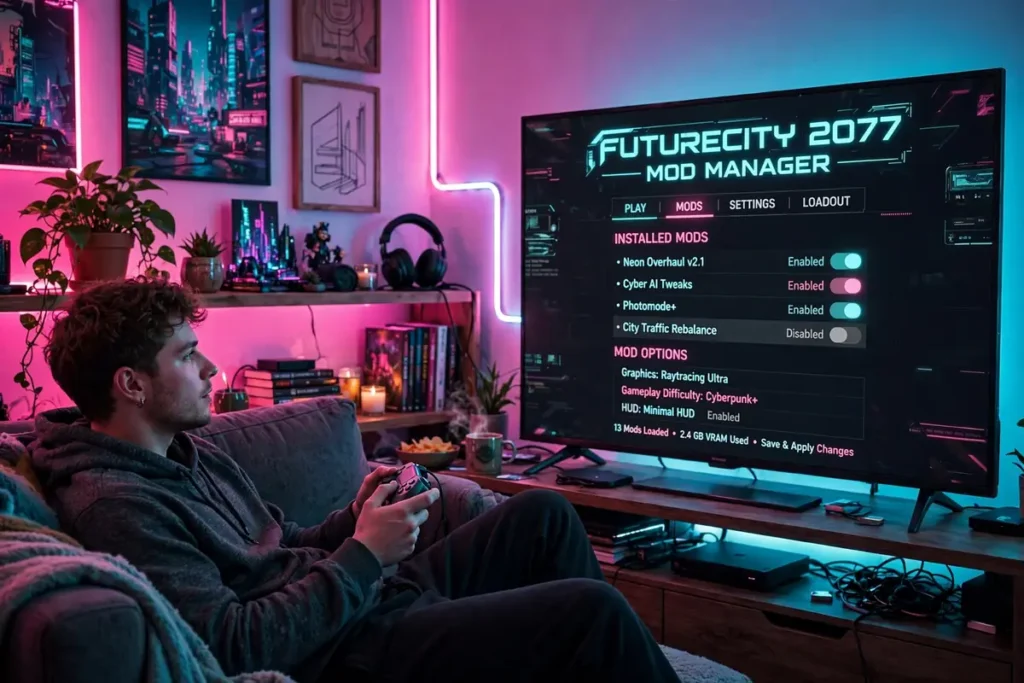
First, make sure Update 2.5 is installed on your PlayStation 5, then open Cyberpunk 2077 and choose Mods from the main menu. That entry is the whole browser: you browse, subscribe, and manage mods from inside the game, in a menu styled for Cyberpunk 2077 rather than a generic store page.
Second, sign in with a CD Projekt Red account when prompted, and connect that account to mod.io, accepting the terms shown. That link is what ties your mod subscriptions to your account, so the same subscriptions can be recognised on another platform where the same mods are supported. You do not need a separate PC installation, a USB drive, or access to the console file system.
Third, browse the catalogue and open a mod’s details page before subscribing. Check for the “Available on consoles” tag: only mods carrying that tag will show up and work on PS5. A mod that exists for PC but lacks the tag will not appear on your console, even if you subscribed to it on PC. Check the mod’s description and requirements too, since some mods need another mod to work.
Fourth, select Subscribe, then restart the game, and confirm the mod is ticked in the Installed section. Mods can be enabled and disabled from that section, so you can test one at a time rather than switching on a dozen at once. If a mod does not behave after a game update, check whether its creator has updated it for the new version before assuming the system is broken.
- Update Cyberpunk 2077 to Update 2.5 on PS5 first.
- Open Mods from the main menu.
- Sign in with a CD Projekt Red account and link it to mod.io.
- Pick only mods tagged “Available on consoles”.
- Subscribe, restart the game, and confirm the mod in Installed.
- Enable or disable mods from the same menu at any time.
What Mods Are Available on PS5 at Launch
SUMMARY: This section lists what the cyberpunk 2077 console mods ps5 launch catalogue actually contains, by category, without pretending it matches the PC library.
The cyberpunk 2077 console mods ps5 catalogue is curated, and its size at launch was reported at 52 mods on PS5, in Push Square coverage of the patch. That number is a launch snapshot, not a cap: CD Projekt Red says more mods will become available over time, and the in-game browser is the reliable place to see what is supported today, since availability can differ between consoles and can change as creators submit console-compatible versions.
By category, the launch offering covers new quests, quality-of-life fixes, cosmetics, and gameplay tweaks. Coverage names several examples that illustrate the range. Night City Interactions expands interactive activities around the city, including an Edgerunners tour, paired with its add-ons. Quickhack Loadouts lets netrunner builds save and switch between quickhack sets. Better Armor Tooltip shows the actual damage reduction percentage from your current armour. Scannable Stash lets you scan weapons displayed in apartment stashes. Faster Checkpoints speeds up Dogtown checkpoint transitions. Other launch entries add cosmetics such as eye colours and hairstyles, extend timers on car delivery missions, and restore or adjust weapon behaviour, such as the Borg Malorian Restored mod for Johnny’s Malorian Arms 3516.
What is not in the catalogue matters as much as what is. Script-heavy gameplay systems, extensive interface overhauls, save editing, console commands, and mods that need extra frameworks such as Cyber Engine Tweaks remain PC-only in practice. Within 24 hours of launch, coverage noted PC mods extending dual-wielding to shotguns, assault rifles, and sniper rifles, built on that PC-only framework, and those are not console mods. If a mod you saw in a video is not in the PS5 browser, the honest explanation is usually that its creator has not supplied a console-compatible version, or that it cannot pass console platform rules.
| Category | Examples reported at launch |
| New quests | Night City Interactions, quest mods reusing existing assets and dialogue |
| Quality of life | Better Armor Tooltip, Scannable Stash, Faster Checkpoints, delivery-timer extensions |
| Builds and combat | Quickhack Loadouts, Borg Malorian Restored |
| Cosmetics | New eye colours, hairstyles, cyberware visuals |
| Not on console | Script-heavy systems, Cyber Engine Tweaks mods, console commands, save editors |
Trophies, Saves and Cross-Progression: The Rules That Matter
SUMMARY: This section states the cyberpunk 2077 console mods ps5 trophy, save, and cross-progression rules plainly, so no one loses a trophy run by accident.
The single most important cyberpunk 2077 console mods ps5 rule is about trophies. On consoles, trophies and achievements are disabled on any save created with mods enabled. The game marks affected saves with a dedicated mod.io cog icon in the Load Game menu, so modded and clean saves are visibly separate. That rule is confirmed in CD Projekt Red’s patch notes and support pages, and every guide checked repeats it.
The practical consequence is simple: keep a separate, unmodded save if you still want to earn trophies. Do not enable a mod on your main trophy-hunting save and assume you can switch it off later to restore trophy eligibility. Coverage is explicit that players should not rely on disabling mods to rescue an already-marked modded save. The safe pattern is two playthroughs, or at least two save files: one clean file for trophies, and one modded file for experimenting.
Cross-progression follows a similar logic. Mod subscriptions follow the same linked CD Projekt Red account across platforms, so a subscription made on PC can be recognised on PS5 where the mod is supported. But a transferred save will only load properly if the target platform has the same required mods enabled. Console versions ignore incompatible PC-only mods, and a save that needs a missing mod may not load until you reconnect and install it. Required game content and regional-edition save restrictions can also block a transfer independently of mods, according to CD Projekt Red’s cross-progression guidance.
Offline play has one clear boundary. Once all the mods a save needs are already installed on the console, that modded save can be played offline. You cannot install a new mod while offline, and if a save requires a mod you do not have yet, you will need to reconnect, install it, and then load the save.
Console Mods vs PC Modding: REDmod, Nexus and mod.io Explained
SUMMARY: This section separates the cyberpunk 2077 console mods ps5 mod.io system from PC-only REDmod and Nexus modding, so the two are never confused.
Three names cause most of the confusion around cyberpunk 2077 console mods ps5, and they are three different systems. REDmod is CD Projekt Red’s free, official PC modding toolset, supported since Cyberpunk 2077 version 1.6. It gives PC players load-order management and script hooks for community mods installed manually through Steam, GOG, or the Epic Games Store. It has no console footprint, and PC saves modded through REDmod were never transferable to consoles.
Nexus Mods is the long-running community hub where much of the PC scene lives, alongside tools such as Vortex, WolvenKit, and Cyber Engine Tweaks. That ecosystem reaches deeper into the game than console-friendly mods: it supports modifications to models, textures, audio, animations, and scripts, and mods that depend on extra frameworks. It is also the route for the most ambitious PC-only work, and none of it can be copied onto a PS5 by hand, because consoles do not allow players to drop files into the game folder.
mod.io is the newer, separate system built for consoles. It is an in-game Mods menu that requires a CD Projekt Red account linked to a mod.io account, and it distributes only curated, approved mods prepared for cross-platform support. It debuted with The Witcher 3: Wild Hunt Remastered in September 2026 and is now extended to Cyberpunk 2077 through Update 2.5. CD Projekt Red also states that it does not create or maintain community mods, so support for the base game does not mean the studio can repair every third-party modification. In short: REDmod and Nexus are PC routes, mod.io is the console route, and only mods that exist in both worlds, with the console tag, bridge the gap.
Limits, Risks and How to Mod Safely on PS5
SUMMARY: This section lists the cyberpunk 2077 console mods ps5 limits and risks, with a safe pattern for testing mods without breaking a long save.
The cyberpunk 2077 console mods ps5 system has hard limits that come from console platform rules. Only mods prepared for cross-platform support and cleared for a specific console can appear in the browser, and console submissions must meet the platform’s user-generated-content rules. That is why the catalogue is curated and why some PC mods will never arrive on PS5 in their current form.
Size limits are reported from the mod.io FAQ, as summarised in coverage checked on October 24, 2026: per-mod uncompressed-folder limits of 900 MB for PlayStation 5 and Xbox, with an individual file no larger than 64 MB, and 250 MB for Nintendo Switch 2. Those figures are per-mod validation limits, not a total storage allowance, and they are reported rather than quoted from CD Projekt Red’s own page text checked for this guide, so treat them as reported limits.
The risks are ordinary modding risks, and they are manageable. A mod can break after a game update until its creator updates it. A mod that changes progression, quests, inventory, or character data can create persistent problems on a long save, while a cosmetic mod breaking is usually just annoying. Mods can also complicate cross-platform saves, as covered above. The safe pattern is to test one mod at a time, keep a clean backup save before enabling anything new, avoid stacking gameplay-changing mods on your oldest save, and check a mod’s details page and update date before subscribing.
- Test one mod at a time, not ten at once.
- Keep a clean, unmodded backup save before enabling mods.
- Do not use your trophy-hunting save for mod experiments.
- Check a mod’s console tag, requirements, and last update before subscribing.
- After a game update, re-check mods before loading a modded save.
What Update 2.5 Adds Beyond Mods
SUMMARY: This section covers the rest of the cyberpunk 2077 console mods ps5 update, so the mod feature is not mistaken for the whole patch.
Update 2.5 is not only about cyberpunk 2077 console mods ps5. Its biggest gameplay addition is dual-wielding, unlocked through the Double Trouble perk in the Cool tree at Level 9 Cool for two perk points, with four auxiliary perks supporting it. It works only with Power-category pistols and revolvers; submachine guns and melee weapons stay single-handed, while dual-wielded iconic weapons keep their abilities and effects.
Two new side quests arrive with the update. Clampdown serves as a prequel to Cyberpunk: Edgerunners 2 and rewards a five-piece gear set based on King, a character from the new season. Welcome to Paradise sends V on a guided Night City tour narrated by Richard Night, unlocking after completing The Heist and reaching Street Cred level 15. Hand cyberware also gets a visual overhaul: V can equip Mantis Blades, Gorilla Arms, Monowire, or the Projectile Launch System and visit one of five Glamdocs, each with its own intro scene and a unique catalogue of cyberware skins with customisable colours.
The rest of the patch spreads across cosmetics and quality of life. New outfit sets arrive at vendors, including Maxiwear, Jinguji, NetWatch, and IconAmerica sets, with a fifth set coming later, plus new hairstyles, 12 Minor Arcana Tarot cards, a themed photo mode pack, and the HKGN 102.0 FM radio station with music from Cyberpunk: Edgerunners. Consoles get a field-of-view slider, save files grouped by individual playthroughs, inventory filters for stashes, and additional photo mode options. PC players get DLSS 4.5 support, new AMD FSR options, and ray tracing and PlayStation 5 Pro performance improvements.
Confirmed vs Unconfirmed: What We Know and What We Do Not Know
SUMMARY: This section puts every key cyberpunk 2077 console mods ps5 claim in one table, with a clear status label, so readers can tell at a glance what CD Projekt Red confirmed and what is only reported.
The table below is the safest way to read the whole update. Anything marked confirmed comes from CD Projekt Red’s patch notes or support pages as reported. Anything marked reported comes from reputable coverage of those announcements. Anything marked unconfirmed has no official source behind it in the material checked.
| Topic | Claim | Status |
| Console mods on PS5 | In-game mod.io browser in Update 2.5, October 22, 2026 | Confirmed by CD Projekt Red |
| PS5 Pro support | Included in the Update 2.5 rollout | Confirmed by CD Projekt Red |
| Install method | Main-menu Mods, CD Projekt Red account linked to mod.io, Subscribe, restart | Confirmed in CD Projekt Red’s support guide |
| Console tag | Only mods tagged “Available on consoles” appear on PS5 | Confirmed in CD Projekt Red’s support guidance |
| Trophy rule | Trophies disabled on modded console saves, marked with a mod.io cog icon | Confirmed by CD Projekt Red |
| More mods over time | Catalogue will grow as creators submit console versions | Confirmed by CD Projekt Red |
| Steam peak | 187,215 concurrent players, October 25, 2026, highest since Phantom Liberty | Reported from SteamDB, confirmed in rounded form by CD Projekt Red IR |
| Launch catalogue size | 52 mods on PS5 at launch | Reported in Push Square coverage |
| Size limits | 900 MB per mod on PS5, 64 MB per file | Reported from mod.io FAQ via coverage |
| Switch 2 date | Update 2.5 for Nintendo Switch 2 | Not announced in sources checked |
| Battle.net timing | PC Battle.net version on November 10, 2026 | Reported, not in CD Projekt Red’s main patch notes checked |
| 70 percent discount | Ultimate Edition at 70 percent off on Steam during launch week | Reported in coverage |
| All-platform total | Combined player count across Steam, PlayStation, Xbox, GOG, Epic | Not published in sources checked |
Best Plan for Cyberpunk 2077 Console Mods PS5
SUMMARY: This section gives a practical plan for cyberpunk 2077 console mods ps5, using only the confirmed install steps, trophy rules, and catalogue facts above.
Start with a clean save. Before you open the Mods menu, make a separate backup of the playthrough you care about, and decide whether that playthrough is for trophies or for modding, because the two do not mix on one save file. If trophies matter to you, finish that run clean first, or keep it on a file you never mod.
Then install Update 2.5, open Mods from the main menu, link your CD Projekt Red account to mod.io, and browse the catalogue with the console tag in mind. Start with one or two low-risk entries: a quality-of-life mod and a cosmetic mod are a safer first test than a gameplay overhaul. Subscribe, restart, confirm the mod in Installed, and play for a session before adding more.
After that, use the rest of Update 2.5 as your reason to stay. Try the Double Trouble dual-wielding perk, run the Clampdown and Welcome to Paradise quests, and visit a Glamdoc to customise your cyberware look. Check the mod browser again over the following weeks, since CD Projekt Red says more console mods will arrive over time, and the catalogue you see at launch is only the first version of it.
For the official details behind this guide, see the official Cyberpunk 2077 Update 2.5 patch notes coverage, the Cyberpunk 2077 console mods PS5 and Xbox guide, and the Cyberpunk 2077 Steam player peak coverage. For more guides, visit Elite Play Zone, browse the Elite Play Zone News section, and browse the Elite Play Zone Gaming section.
Frequently Asked Questions
SUMMARY: This section answers the six questions players ask most about cyberpunk 2077 console mods ps5, using only the confirmed install steps, trophy rules, and catalogue facts from this guide.
Can I install Cyberpunk 2077 console mods PS5 without a PC?
Yes. With Update 2.5 installed, open Mods from the main menu on PlayStation 5, sign in with a CD Projekt Red account, link it to mod.io, subscribe to a mod tagged “Available on consoles”, and restart the game. No PC, USB stick, or file copying is needed.
Do Cyberpunk 2077 console mods PS5 disable trophies?
Yes, on the affected save. Trophies are disabled on any console save created with mods enabled, and the game marks such saves with a mod.io cog icon. Keep a separate, unmodded save if you still want to earn trophies.
Which mods work on Cyberpunk 2077 console mods PS5?
Only the curated selection in the in-game browser, marked “Available on consoles”. The launch catalogue was reported at 52 mods on PS5, covering quests, quality-of-life fixes, cosmetics, and gameplay tweaks. PC-only mods, including those needing Cyber Engine Tweaks, do not work on PS5.
Is Cyberpunk 2077 console mods PS5 free?
Yes, the feature itself is free as part of Update 2.5, and the mods in the browser are community content. You need the base game updated to Update 2.5 on PlayStation 5; Phantom Liberty and the Ultimate Edition are not prerequisites for the mod feature.
Can I use Cyberpunk 2077 console mods PS5 on PS4?
No. PlayStation 4 and Xbox One are outside the Update 2.5 rollout, so they do not get official mod support. The feature covers PlayStation 5, PlayStation 5 Pro, Xbox Series X|S, PC, and Mac, with Nintendo Switch 2 to follow.
Will more Cyberpunk 2077 console mods PS5 arrive later?
Yes, according to CD Projekt Red, which says more mods will become available over time as creators submit console-compatible versions. Check the in-game browser regularly, since it is the reliable catalogue for what is supported on PS5 today.
For More Updates Visits: ELITE PLAY ZONE